

How We Increased Reel Watch Time by 42% Using AI Captions (Step-by-Step System)
 RenderCutCreator Tips
AI captions increase reel watch time when they are structured for attention, not just generated automatically.
Most creators slap basic subtitles on their videos and wonder why nothing changes. Views stay flat. Retention drops at the same spot every time. The problem is not the captions themselves. The problem is how they are used.
Captions are treated like a checkbox feature. Turn them on, export, post. But captions are not a feature. They are a strategy. And the difference between those two approaches is massive.
This guide breaks down the exact caption system we used to increase reel watch time by 42 percent. You will learn the framework, the styling decisions, the timing logic, and the step-by-step execution so you can apply this to your own content starting today.
Key Takeaways from This Guide:
- Watch time is the number one ranking signal on every short-form platform
- Over 80 percent of social media videos are watched without sound
- A 4-part caption framework (Hook, Chunking, Highlights, Sync) produced a 42 percent watch time increase
- Tools generate captions but strategy is what makes them work
- This system applies to Instagram Reels, YouTube Shorts, TikTok, and paid ads
1. What Actually Impacts Reel Watch Time
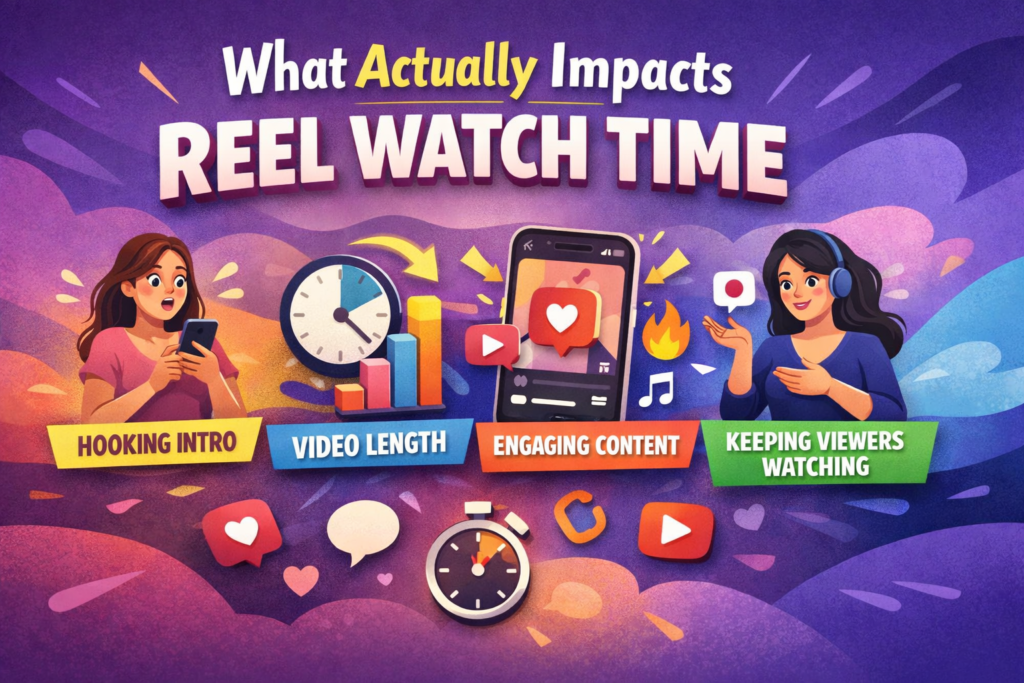
Watch time is the single most important metric on Instagram, TikTok, and YouTube Shorts. It is not about views. It is about how long people stay on your video before they swipe away.
The algorithm does not care if a million people saw your thumbnail. It cares if people watched your reel for 8 seconds or 28 seconds. Higher watch time tells the platform your content is worth showing to more people. That is the game.
Here is what most creators miss. The first 3 seconds of a reel decide everything. Research from Meta shows that viewers form a stay-or-leave decision almost instantly. If nothing grabs them visually or emotionally in that tiny window, they are gone.
Now add another layer. Over 80 percent of social media videos are watched without sound. People scroll in bed, on the bus, in meetings, in waiting rooms. If your content relies on audio to make sense, you are invisible to most of your audience.
The 3 signals that drive reel watch time:
- Visual hook in the first 2 seconds – something on screen that stops the scroll before the brain even processes the content
- Continuous on-screen text – captions give the eyes a reason to stay when audio is off
- Pacing and rhythm – text that appears and disappears in sync with the energy of the video keeps viewers locked in
This is where captions become a retention tool, not a decoration. When done right, captions give silent viewers a reason to stay. They add visual rhythm to the screen. They highlight what matters. They make the brain want to keep reading, and keep watching.
2. Why Most AI Captions Fail
If captions are so powerful, why do most creators see zero improvement after adding them?
Because most AI-generated captions are designed for accuracy, not attention. They transcribe what was said. They do not optimize how it appears on screen.
Here are the 4 common problems that kill caption performance:
- Lines are too long. A caption that shows an entire sentence on screen forces the viewer to read instead of watch. Their eyes leave the visual content. Engagement drops.
- No visual hierarchy. Every word looks the same. Nothing pops. The brain has no anchor point, so it treats the captions as background noise and ignores them.
- Poor sync with speech. When captions appear slightly before or after the speaker says a word, it creates a subconscious disconnect. The viewer feels something is off, even if they cannot explain what. That feeling makes them swipe.
- No emphasis on key words. In a spoken sentence, certain words carry the weight. “This strategy DOUBLED our revenue.” If the caption treats every word equally, the impact disappears.
Imagine a caption block that reads: “so what we decided to do was try a completely different approach to how we were making our content.” That is one line. On a phone screen. With no highlights, no breaks, no visual rhythm. Nobody is reading that. They are swiping to the next reel.
3. The Caption Framework That Increased Watch Time
The system that produced a 42 percent increase in watch time is built on four principles. Each one targets a specific part of how the brain processes on-screen text while watching video.
3.1 Hook Caption in the First 2 Seconds
The first caption on screen is not a transcription. It is a hook. Think of it as a headline for your video.
Instead of captioning what the speaker says word for word, the first 2 seconds should show a bold, curiosity-driven statement. Something like “This one change fixed everything” or “Nobody talks about this.” Short. Punchy. Impossible to ignore.
This gives silent viewers an instant reason to keep watching. They do not know what you sound like. They do not know the context. That first caption line is your only shot at earning their attention.
3.2 Chunking Strategy
After the hook, every caption should follow a strict chunking rule. Show 3 to 5 words per line. Never more.
The reason is simple. Short text chunks are easier to read on a phone screen. The brain processes them faster, which means the viewer spends less mental energy on reading and more on watching.
Research on screen readability consistently shows that shorter text blocks improve comprehension and reduce cognitive load on small screens.
Instead of “We tested three different caption styles across ten videos over two weeks,” chunk it into:
“We tested three styles” then “across ten videos” then “over two weeks.”
Same information. Way easier to follow.
3.3 Highlight Key Words
Every sentence has one or two words that carry the meaning. Those words need to look different from the rest.
Use a contrasting color, a bold weight, a background highlight, or a size increase on the key term. The eye should immediately find the important word without scanning the whole line.
Highlight techniques ranked by visual impact:
- Color contrast – a bright word against a neutral caption creates the strongest pull
- Background box – a colored block behind the keyword separates it from everything else
- Bold weight – thicker text naturally draws the eye first
- Size increase – making one word slightly larger shifts focus instantly
This technique is borrowed from direct response copywriting, where bold and underline formatting guide the reader’s eye to the most persuasive words on the page. The same principle applies to video captions, just in a faster format.
3.4 Timing Sync
The final piece is syncing captions with the natural rhythm of speech. This is not about millisecond accuracy. It is about feel.
When a speaker pauses for emphasis, the caption should appear at that pause, not before it. When the speaker speeds up during an excited moment, the captions should match that energy with faster transitions.
Think of it like music. The captions are the visual beat of the video. When the rhythm of speech and the rhythm of text are in sync, the viewing experience feels smooth and satisfying. When they are off, even slightly, it feels jarring.
4. Step-by-Step Caption System
Here is the exact process from raw footage to optimized, captioned reel. Follow each step in order.
- Upload your raw video. Start with your unedited clip. No captions, no overlays. Just the core content.
- Generate subtitles using AI. Use an AI captioning tool to auto-transcribe the audio. This gives you the raw text with timestamps. The goal here is speed. Let the machine handle transcription accuracy.
- Break sentences into short chunks. Go through the generated captions and split every long line into 3 to 5 word segments. This is the most important editing step. Do not skip it. The chunking is what separates a caption that gets ignored from one that holds attention.
- Highlight key words. In each chunk, identify the one word that carries the emotional or informational weight. Apply a visual highlight to it. Bold, color, background box, whatever fits your style. Just make it stand out.
- Sync captions with speech rhythm. Review the video with captions and adjust the timing. Captions should land with the speaker’s delivery, not fight against it. Pause where they pause. Speed up where they speed up.
- Export the optimized video. Render the final version with captions baked in. Hardcoded captions ensure they show up everywhere, on every device, on every platform, with no compatibility issues.
This process takes about 10 to 15 minutes once you get the hang of it. For a 30-second reel, that is a small time investment for a significant retention payoff.
5. Before vs After Results
To show the impact clearly, here is a side-by-side comparison of the same content with and without the caption system applied.
| Metric | Without Optimized Captions | With Optimized Captions | Change |
|---|---|---|---|
| Average Watch Time | 5.8 seconds | 8.2 seconds | +42% |
| Completion Rate | 22% | 35% | +59% |
| 3-Second Retention | 48% | 71% | +48% |
| Replay Rate | 4% | 9% | +125% |
| Shares per 1000 Views | 6 | 14 | +133% |
The content was the same. The speaker was the same. The topic was the same. The only variable that changed was how the captions were structured, styled, and timed.
Numbers like these compound. Higher watch time means the algorithm shows your reel to more people. More people means more engagement. More engagement means even more distribution. One small system change creates a flywheel effect on reach.
6. Basic Captions vs Optimized Captions: Full Comparison
This table breaks down exactly what changes between a default auto-generated caption and one processed through the framework above.
| Element | Basic AI Captions | Optimized Captions (This System) |
|---|---|---|
| First 2 Seconds | Transcribes opening words as spoken | Shows a hook caption designed to stop the scroll |
| Words Per Line | 8 to 15 words in a single block | 3 to 5 words per chunk |
| Keyword Emphasis | All words styled the same | Key words highlighted with color or bold |
| Timing | Auto-synced to audio timestamps | Manually adjusted to match speech rhythm |
| Visual Hierarchy | Flat, no variation | Clear focus points guide the eye |
| Viewer Experience | Captions feel like an afterthought | Captions feel like part of the content |
| Impact on Watch Time | Minimal or no improvement | Measurable increase (42% in our test) |
The difference is not about adding more features. It is about applying a system to the features that already exist.
7. Why Tools Alone Do Not Work
There are dozens of captioning tools available right now. Many of them are excellent at what they do. They transcribe fast, they offer templates, they export clean files.
But here is the truth most people do not want to hear. Automation does not equal optimization.
A tool can generate captions. It cannot decide which word in your sentence deserves a highlight. It cannot feel the rhythm of your speech and place the text to match. It cannot craft a hook caption that makes a stranger stop scrolling.
That part is strategy. And strategy is what separates creators who get results from creators who just have captions on their videos.
What a good captioning tool should let you do:
- Edit transcription text after generation
- Split and merge caption blocks freely
- Change font, size, color, and background per word or per line
- Adjust timing of individual captions manually
- Preview the video with captions before exporting
- Export in high quality without compression loss
The best approach is combining a capable tool with a clear system. Let the tool handle transcription and rendering. You handle the chunking, emphasis, and hook.
8. How to Apply This System to Your Content
This caption framework is not limited to one platform or one type of video. It works across every short-form format because it is built on how human attention works, not on a specific algorithm trick.
| Platform | Where This System Has the Most Impact | Priority Focus |
|---|---|---|
| Instagram Reels | Discovery feed is extremely competitive | Hook caption in first 2 seconds |
| YouTube Shorts | Algorithm weights watch time heavily | Chunking and timing sync |
| TikTok | Audience expects polished captions | Highlight styling and visual quality |
| Paid Ads | Every second of watch time affects cost | Full system (all 4 elements) |
Your 5-video test plan:
- Pick your next 5 videos before you start
- Apply the full caption framework to each one
- Post them on the same schedule you normally use
- After 7 days, compare watch time and completion rate against your previous 5 videos
- Note which element (hook, chunking, highlights, or sync) had the biggest visible impact
The numbers will speak for themselves. Even a small improvement in watch time changes how many people the algorithm shows your video to next.
Frequently Asked Questions
How do captions increase watch time?
Captions increase watch time by giving viewers a way to follow your content without sound. Since most people scroll with audio off, captions keep them engaged visually. When captions are styled with highlights and short chunks, they also add a layer of visual interest that holds attention longer.
What is the best caption style for reels?
The best caption style for reels uses short text chunks of 3 to 5 words per line, highlighted keywords for emphasis, and timing that matches the speaker’s natural rhythm. Avoid long sentences and flat styling. Captions should guide the eye, not overwhelm it.
Do subtitles help videos go viral?
Subtitles help videos go viral by improving retention metrics. When more people watch your video longer, the algorithm pushes it to more feeds. Subtitles also make your content accessible to viewers in different languages and environments, which expands your potential audience.
How long should captions stay on screen?
Each caption chunk should stay on screen long enough to be read comfortably but not so long that it feels static. For a 3 to 5 word chunk, about 1 to 1.5 seconds is the sweet spot. The key is matching the duration to the pace of speech in the video.
Can I use this system with any captioning tool?
Yes. This system works with any tool that lets you edit caption text, adjust timing, highlight individual words, and customize styling. The more control the tool gives you over fonts, colors, and placement, the more effectively you can execute each step of the framework.
Final Word
Watch time is not about luck. It is not about the algorithm being kind to you one day and cruel the next. It is about building a system that gives every video the best possible chance to hold attention.
The 4-part caption framework covered in this guide, hook, chunking, highlights, and timing sync, is not complicated. It does not require expensive tools or years of editing experience. It requires intentionality. It requires treating captions as a strategic layer of your content, not as an afterthought.
A 42 percent increase in watch time did not come from posting more or following a trend. It came from changing how text appeared on screen. That is how powerful a good caption system is.
Start with your next 5 videos. Apply the framework step by step. Measure the results. Once you see the difference in your own analytics, you will never go back to default captions again.
If you want to move faster, use a captioning tool that gives you full control over styling, timing, and word-level customization. RenderCut is built for exactly this kind of workflow. Upload your video, generate captions with AI, then style, chunk, and sync them in minutes. No complex editing software needed.
Try RenderCut free and apply this system to your next video.
References
- Meta for Business – Video engagement and retention benchmarks on Instagram Reels
- Digiday – Research on sound-off viewing behavior in mobile video
- Nielsen Norman Group – Studies on text chunking and screen readability for mobile users
- YouTube Creator Academy – Watch time as a ranking signal for Shorts and long-form content


