

5 Best Tools For Productivity
 RenderCutCreator Tips
In today’s fast-paced world, staying productive can be a significant challenge. However, the right tools can make all the difference. Whether you’re managing multiple projects, balancing work-life commitments, or striving to improve your efficiency, having the right tools at your fingertips can streamline your tasks and boost your performance.
In this blog, we will explore five of the best productivity tools designed to help you stay on top of your goals and make the most of your time. Let’s dive into these powerful solutions that can take your productivity to the next level.
1. RenderCut
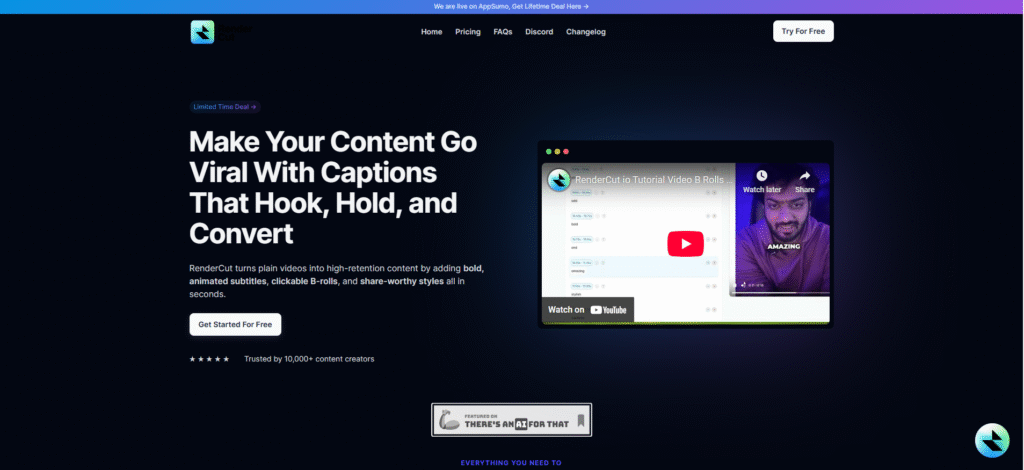
RenderCut is an AI-powered tool designed to revolutionize video editing by automatically generating accurate subtitles for your content. It simplifies the process of adding engaging captions to videos, making them more accessible and interactive.
Whether you’re creating content for YouTube, Instagram, or any other platform, RenderCut’s smart transcription and customization features help improve viewer engagement with minimal effort. Automating tedious tasks allows content creators to focus more on their creative vision while ensuring the final product is both polished and professional.
Features:
- Automatic transcription in over 40 languages
- Customizable text styles, animations, and fonts
- Multilingual support for wider audience reach
- Export options for social media platforms like YouTube Shorts and TikTok
Saves time in video creation by automating transcription and enhancing content with minimal effort.
2. Todoist
Todoist is a powerful task and project management tool designed to organize daily work, personal goals, and collaborative projects in one clean interface. Todoist enhances productivity by turning complex to-do lists into manageable action steps, improving task clarity, focus, and timely execution through smart reminders and visual progress indicators.
Professionals, remote workers, and productivity enthusiasts who need a structured system to manage both personal and collaborative responsibilities seamlessly.
Features:
- Task lists, labels, and smart filters
- Project categorization and progress tracking
- Calendar sync and third-party integrations
- Priority levels and recurring due dates
3. Trello
Trello is a visual project management tool that uses drag-and-drop boards, lists, and cards to organize workflows and tasks collaboratively. Trello enhances team productivity by simplifying complex projects into manageable steps, with visual clarity and seamless coordination. Teams handling editorial calendars, marketing campaigns, product development, or client project pipelines.
Features:
- Kanban-style boards for clear task management
- Cards for assigning members, deadlines, attachments, and labels
- Power-ups for automation, calendar view, and third-party integrations
- Real-time team collaboration and activity tracking
4. Notion
Notion is an all-in-one productivity platform that combines note-taking, task management, databases, and collaboration tools in a single workspace. Notion centralizes multiple workflows, planning, documentation, and task tracking into one tool, helping users eliminate app-switching and stay organized. Ideal for individuals, freelancers, and teams managing projects, documentation, and shared knowledge bases in one place.
Features:
- Customizable templates for wikis, notes, tasks, and databases
- Real-time collaboration with teammates
- Cross-platform syncing (web, desktop, mobile)
- Drag-and-drop interface for easy organization
- Integration with tools like Slack, Google Drive, and more
5. Slack
Slack is a team communication tool that facilitates quick, organized, and efficient discussions for faster decision-making. Slack centralizes all team communication, reducing email clutter, speeding up replies, and improving task tracking across departments. Teams that require fast, structured communication with seamless third-party app integrations for efficient workflow management.
Features:
- Real-time messaging through public channels, private groups, and DMs
- File sharing, searchable history, and pinned resources
- Native integrations with tools like Google Drive, Trello, and Zoom
- Built-in task reminders, polls, and workflows
PAA (People Also Ask)
What’s the best productivity tool for content creators?
RenderCut is excellent for content creators looking to quickly generate accurate and customizable subtitles for their videos.
How can I manage tasks more efficiently?
Using tools like Todoist and Trello can help you manage tasks with better organization and collaboration.
Which tool helps with team collaboration?
Slack and Trello are great for team communication and managing projects efficiently.
Conclusion
In today’s fast-paced world, staying productive is key to success. The tools we’ve discussed offer innovative ways to simplify tasks, enhance communication, and automate tedious processes, ultimately boosting your efficiency. By incorporating these tools into your daily routine, you can unlock a new level of productivity and achieve more in less time.
Start using them today, and watch your productivity soar. And if you’re looking to elevate your video content with AI-driven solutions, don’t forget to explore RenderCut for seamless video creation and editing.


