
What Is Karaoke Caption Style?
 RenderCutCreator Tips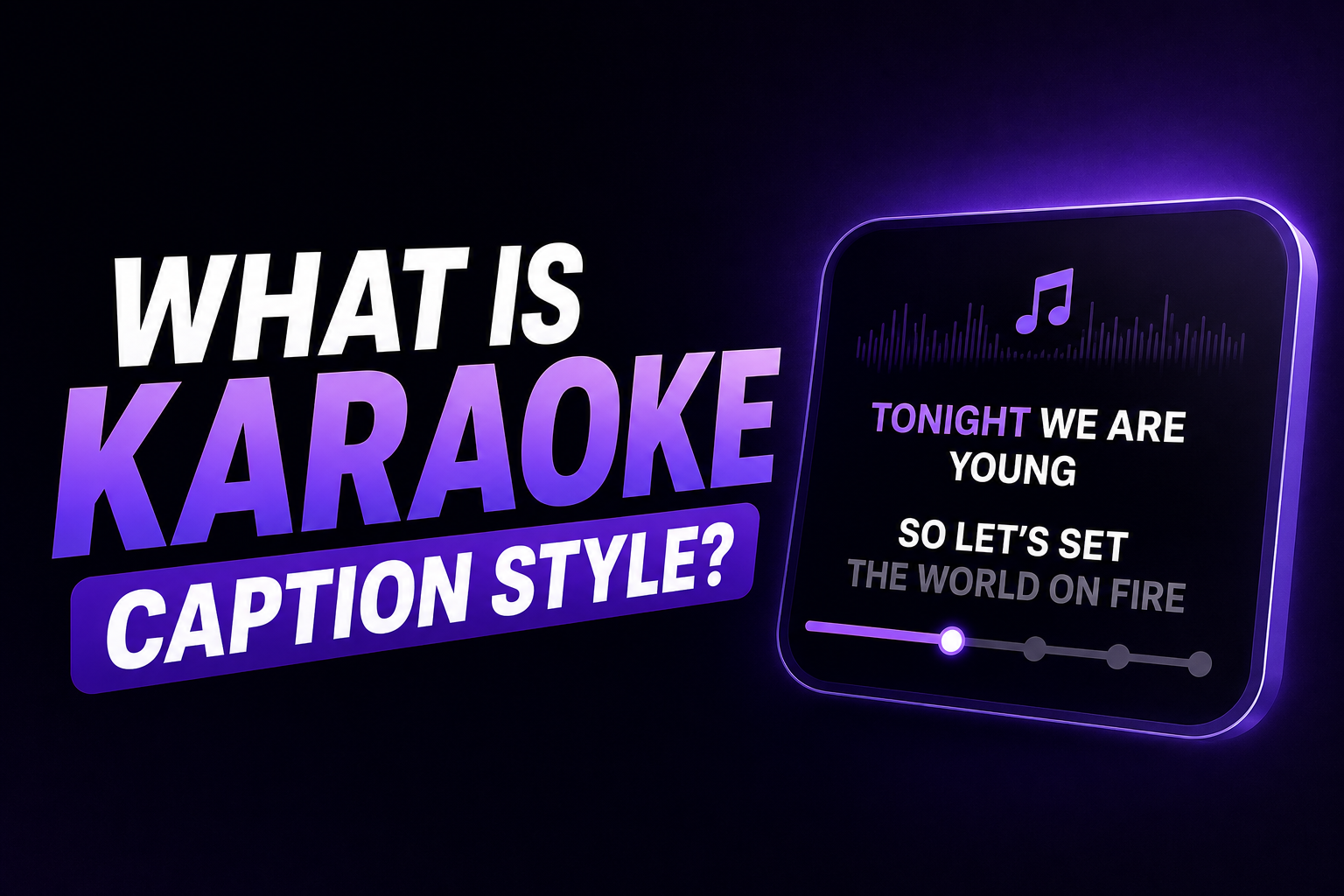
Karaoke caption style is a video caption format where each word highlights, changes color, or appears on screen individually in sync with the spoken audio, creating a word-by-word tracking effect that follows the speaker's voice in real time.
The name comes from karaoke lyrics displays, where the active word or syllable changes color as the song progresses. Applied to video captions, the effect synchronizes text emphasis with speech rather than displaying a full line of text at once.
Karaoke captions are also called word-by-word captions, active-word captions, highlight captions, or kinetic captions. They are the dominant caption style for short-form video in 2026, outperforming static subtitles on completion rate, engagement rate, and share rate across TikTok, Instagram Reels, and YouTube Shorts.
How Karaoke Captions Work
Word-by-word captions are on-screen text where the unit of change is a single word, not a whole line. As the audio plays, one word appears or the current word highlights, instead of a full phrase appearing as a block.To produce karaoke captions, the captioning tool needs three things:
- A word-level timeline. The transcript must include a precise timestamp for every individual word, not just for caption lines or sentences. This is what separates a basic auto-caption from a karaoke-capable one.
- A highlight or pop-in animation bound to that timeline. Each word's visual state (color, size, opacity) changes at the moment that word is spoken.
- A burned-in export. Karaoke captions are burned into the image. They need to be hardcoded into the video so they display correctly on every platform and device.
Most platform-native caption tools (TikTok, Instagram, YouTube) do not generate word-level timelines automatically. Dedicated AI captioning tools handle this natively.
The Two Main Variants
Highlight Style
A short phrase (typically 3 to 5 words) stays visible on screen. The active word changes color or increases in brightness as the speaker says it. Surrounding words remain visible but dimmer or lighter.
The active word is highlighted in a contrasting color or enlarged slightly while surrounding words remain dimmer or smaller. The effect creates a karaoke-like rhythm that locks the viewer's eye to the text and reinforces comprehension by pairing visual emphasis with audio pacing.This variant is the most widely used for informational and educational content because it maintains reading context (surrounding words are visible) while still creating the tracking effect.
Pop-In Style
Each word appears individually as it is spoken and remains on screen. No surrounding words are visible before their moment. The word either pops in at normal size or enters with a subtle scale or bounce animation.
Pop-in gives the text energy without turning it into a lyric video. If the video already has a lot of motion, fast cuts, or handheld footage, dropping the animation and keeping plain karaoke highlighting works better. Motion on motion is tiring to read.Pop-in works well for fast-paced motivational content, bold statements, and high-energy short-form formats.
Why Karaoke Captions Outperform Static Subtitles
The reason karaoke captions work is straightforward. In a feed where most videos autoplay silently, karaoke captions give the viewer a visual tracking mechanism. Instead of reading ahead and waiting for the audio to catch up, the viewer's eye follows the word highlight in real time. The result is higher retention, and higher retention is what drives algorithm performance on TikTok, Reels, and Shorts. The mechanism is well-established attention behavior: motion draws the eye, and a predictably moving target holds it. Applied to captions, the sequential highlight keeps eyes on the text through the length of the clip, exactly the sustained attention short-form distribution rewards.Static subtitles display a block of text all at once. The viewer's eye processes it in a fraction of a second, then has nothing new to look at until the next block appears. In between blocks, attention can wander. Karaoke captions eliminate that gap by providing continuous micro-movement that holds the eye throughout the clip.
When to Use Karaoke Caption Style
| Content Type | Karaoke Style | Better Alternative |
|---|---|---|
| TikTok, Reels, YouTube Shorts | Yes, word-by-word highlight | N/A — this is the standard |
| Talking head, podcast clips | Yes | N/A |
| Tutorial or educational content | Yes (highlight variant) | N/A |
| Cinematic, brand film | Possibly not | Minimal clean style |
| LinkedIn, professional B2B | Reduce to subtle | Minimal fade or static |
| Long-form YouTube (full video) | SRT file preferred | Burned-in only for clips |
For a full comparison of caption styles with retention data per format, see Best Caption Styles That Increase Video Retention and Engagement.
Limitations of Karaoke Caption Style
Not suitable for all content types. Karaoke captions work for talking-head and explanatory content where a single speaker's words are the primary message. For cinematic content, documentary-style video, or professional B2B contexts, the animation can feel mismatched with the content tone.
Requires accurate word-level timing. If the word-level timestamps are imprecise, the highlight arrives before or after the spoken word. This timing mismatch is noticeable and undermines the effect. Good AI transcription tools produce millisecond-accurate word timestamps. Manual or low-quality transcription does not.
Burned in means committed. Like all hardcoded captions, karaoke-style captions cannot be edited after export without re-rendering the video. Always review the transcript for accuracy before exporting.
Overuse of animation is counter-productive. A caption that changes color every line stops being a caption and becomes a screensaver. Movement should mark the spoken word, nothing else. One animated element per frame is the limit. Adding bounce, color change, and size scaling simultaneously creates visual noise rather than attention guidance.
How to Create Karaoke Captions
- Upload your video to an AI captioning tool that supports word-level timestamps
- Generate AI captions. The tool produces a transcript with millisecond-precise timestamps per word.
- Review the transcript for accuracy. Correct any misheard words before applying karaoke styling.
- Select karaoke or word-by-word highlight mode in the styling panel
- Choose your highlight color (your brand accent color or a contrasting color against white text)
- Set the base font (bold sans-serif recommended for readability)
- Choose the variant: highlight style (surrounding words visible) or pop-in (words appear individually)
- Preview the output against the audio to verify timing accuracy
- Export with hardcoded captions burned into the video
For the full workflow applying karaoke styling within a batch captioning process, see How to Caption 30 Videos a Week Without Burning Out.
Frequently Asked Questions
What is karaoke caption style?
Karaoke caption style is a video subtitle format where each word highlights, changes color, or appears individually in sync with the spoken audio. The active word is visually emphasized at the moment it is spoken, creating a word-by-word tracking effect. It is the dominant caption style for short-form social video in 2026.
Why are they called karaoke captions?
The name comes from karaoke displays, where the active lyric or syllable changes color as the song plays. Video captions using the same word-by-word highlighting effect adopted the karaoke name because the visual mechanism is identical: text emphasis follows audio in real time.
Do karaoke captions increase video views?
Karaoke captions improve watch time and completion rate by giving viewers a continuous visual tracking mechanism that holds attention throughout the clip. Higher completion rate feeds directly into algorithmic distribution on TikTok, Instagram Reels, and YouTube Shorts, which can increase reach and views over time.
What is the difference between karaoke captions and regular captions?
Regular captions display a block of text (typically a full sentence or phrase) all at once and replace it with the next block when the speaker moves on. Karaoke captions highlight or animate each word individually in sync with the audio. The word-by-word animation requires a word-level timestamp for every word in the transcript, which regular auto-caption tools often do not generate.
Which tools support karaoke caption style?
Dedicated AI captioning tools including RenderCut, Submagic, Captions.ai, and BlitzCut support karaoke-style word-by-word captions natively. CapCut offers a limited version. Platform-native tools (TikTok, Instagram, YouTube) do not currently support true word-by-word karaoke highlighting in their built-in caption features.
Final Word
Karaoke caption style is the highest-retention caption format available for short-form video in 2026, and also the most technically demanding to produce correctly. It requires word-level timestamps, synchronized animation, and hardcoded export. Done right, it holds viewer attention through the full length of a clip by giving the eye a moving target to follow. Done wrong (with imprecise timing or excessive animation), it becomes visual noise that competes with the content.
The format is standard for TikTok, Reels, and Shorts in 2026. Creators who are still using static full-sentence subtitles are leaving measurable watch time on the table.
RenderCut supports word-by-word karaoke caption styling with millisecond-accurate timestamps and full highlight color control. Try RenderCut free and apply karaoke-style captions to your next video.
References
- BlitzCut - Karaoke captions on Mac 2026: the dominant style for short-form video, completion rate and engagement data
- Poko Video - Best caption styles for marketing videos 2026: word-by-word kinetic as dominant format, attention mechanism explained
- Recapo.ai - How to add word-by-word captions: word-level timeline, highlight vs pop-in modes, and burn-in requirement (August 2026)
- OpenClip - Karaoke captions: attention engineering mechanism, muted feed performance, and why top creators use the effect