
Hardcoded vs Soft Subtitles: What's the Difference? (2026 Guide)
 RenderCutCreator Tips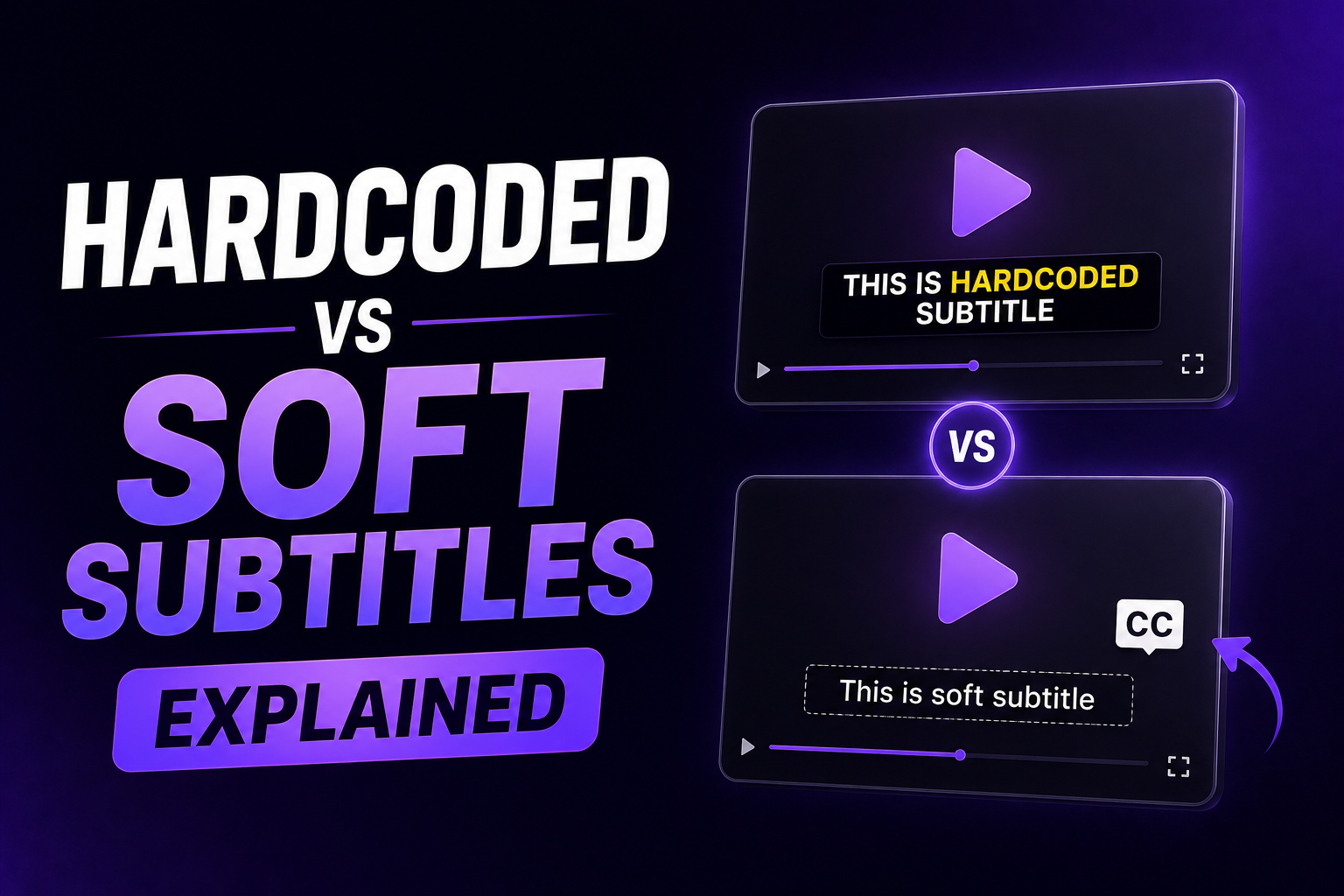
Hardcoded subtitles are permanently burned into the video file and always visible. Soft subtitles are stored separately and can be toggled on or off by the viewer.
These are the two fundamental formats for delivering subtitles on video. Every other subtitle decision, which tool to use, which file type to export, which platform to upload to, flows from understanding the difference between these two types.
The Core Difference
Hardcoded subtitles are permanently embedded into a video file, meaning they cannot be turned off or removed by the viewer. They are burned into the video itself and are always visible during playback. Soft subtitles are separate text files associated with the video. Viewers can enable or disable soft subtitles while watching. They can be flexibly customized: viewers can choose a language, font size, and positioning based on their preferences.| Hardcoded (Burned-In) | Soft (Closed Captions) | |
|---|---|---|
| Also called | Burned-in, open captions, hard subs, hardsubs | Closed captions, soft subs, SRT subtitles, CC |
| Visibility | Always visible, cannot be turned off | Toggleable by viewer |
| File structure | Part of the video pixels | Separate file (.srt, .vtt) or embedded track |
| Editability | Requires re-rendering the video to change | Can be edited or replaced without touching the video |
| Styling control | Full control (set at creation) | Platform or player renders the style |
| Device compatibility | Works on every device and platform | Requires player or platform support |
| Search indexing | Not indexed as text by platforms | Indexed by YouTube and other platforms for search |
| Best for | Social media, ads, silent viewing | YouTube long-form, web players, accessibility compliance |
Hardcoded Subtitles: When to Use Them
Hardcoded subtitles make sure your captions are always visible, no matter what. There is no risk of subtitle files getting lost. They work perfectly on social media and mobile apps where viewers usually watch with sound off. You have full creative control over style, placement, and animation.Use hardcoded subtitles for:
- Instagram Reels, TikTok, YouTube Shorts, Facebook Reels. Social platforms do not read attached SRT files from uploaded MP4s. Hardcoded captions are the only way to guarantee all viewers see subtitles on these platforms.
- Video ads. Ads autoplay silently. Every viewer needs to see captions without any action on their part.
- Branded content. Hardcoded subtitles allow full control over font, color, animation, and placement to match brand guidelines.
- Exported videos shared as files (email, USB, downloads). Soft subtitle files can be separated from the video during sharing. Hardcoded subtitles travel with the video permanently.
- Events and screenings. Venue displays cannot always load separate subtitle tracks.
The trade-off: hardcoded subtitles are not editable. You cannot fix a typo without re-rendering the whole video. Always review transcription accuracy before burning in.
Soft Subtitles: When to Use Them
Soft subtitles are great for situations where flexibility and editing control are paramount. YouTube videos benefit from multiple language subtitle tracks. The viewer can enable or disable them based on preference.Use soft subtitles for:
- YouTube long-form. Upload an SRT file through YouTube Studio. YouTube indexes the caption text for search, improving discoverability. Viewers can toggle captions in their preferred language.
- Web video players. HTML5 players support WebVTT (.vtt) tracks that viewers can enable or disable.
- Multilingual content. One video can carry multiple soft subtitle tracks in different languages, making language switching possible without separate video files.
- Accessibility compliance. WCAG and broadcasting standards require toggleable captions so viewers can adjust display to their needs.
- Content that gets updated. If transcript errors are found after publishing, an SRT file can be replaced without re-rendering the video.
The trade-off: soft subtitle files can be separated from the video and lost during file transfers. Not all media players support all subtitle formats equally. Basic players, direct file sharing, and most social media platforms do not display soft subtitle tracks.
Soft Subtitle File Formats
Soft subtitles are stored in several formats depending on the use case.
| Format | Common Name | Best For |
|---|---|---|
| .srt | SubRip Subtitle | Most compatible. Works with YouTube, Vimeo, most editors, and media players. |
| .vtt | WebVTT | Web video and YouTube. Similar to SRT with additional styling options. |
| .ass / .ssa | Advanced SubStation Alpha | Complex styling: colors, positioning, animations. Used in professional and anime workflows. |
| .sbv | SubViewer | Google's own subtitle format. Functionally similar to SRT. |
For most creator workflows, SRT is the only format needed. It is universally supported across editing tools, platforms, and media players.
Using Both Together: The Best of Each
For YouTube long-form and any platform that supports SRT upload, the recommended approach is to use both formats together.
- Create styled, hardcoded captions burned into the video for the visual experience viewers see
- Also upload an SRT subtitle file through the platform's subtitle manager (YouTube Studio, Vimeo, etc.)
The hardcoded captions give viewers the polished, branded visual experience. The SRT file gives the platform indexable text for search discoverability and provides a toggleable track for viewers who prefer to control their own caption display.
For YouTube specifically, the combined approach produces both better viewer experience and better search performance than either format alone. The full guide on how this works in practice is in How to Add Captions to YouTube Shorts and Do Captions Improve Video SEO?
How to Create Each Type
To create hardcoded subtitles: Use an AI captioning tool to generate captions, style them, and export a new video file with captions permanently rendered into the frames. This produces an MP4 with subtitles visible on every device and platform without any additional file needed.
To create soft subtitles: Generate a transcript using an AI transcription tool or type it manually. Export the text as an SRT or VTT file with timestamps. Upload the file to YouTube Studio, Vimeo, or another platform's subtitle manager, or load it into a media player alongside the video for local playback.
Most AI captioning tools generate both formats from the same transcription session. You produce the hardcoded export for social media and the SRT file for YouTube in the same workflow.
For the complete guide on adding subtitles to MP4 files using both formats, see How to Add Subtitles to MP4 Videos.
Frequently Asked Questions
What is the difference between hardcoded and soft subtitles?
Hardcoded subtitles are permanently burned into the video file and always visible to every viewer regardless of device or settings. Soft subtitles are a separate text file that viewers can toggle on or off. Hardcoded subtitles work everywhere but cannot be edited without re-rendering the video. Soft subtitles are flexible and searchable but require platform support to display.
Which subtitle format should I use for Instagram and TikTok?
Hardcoded subtitles only. Instagram, TikTok, and Facebook Reels do not read attached SRT files from uploaded MP4s. They have their own separate caption systems. If subtitles are in a separate file and not burned in, they will not appear when the video is posted to these platforms.
Which subtitle format is better for YouTube?
Use both. Burn styled captions into the video for the visual experience. Also upload an SRT subtitle file through YouTube Studio for search indexing and viewer toggleability. YouTube indexes SRT caption text for search, which hardcoded captions alone do not provide.
Can viewers turn off hardcoded subtitles?
No. Hardcoded subtitles are permanently rendered into the video pixels. They cannot be hidden, turned off, or adjusted by the viewer or any media player. This is by design for social media content where you want every viewer to see the captions regardless of their device settings.
What file format should I use for soft subtitles?
SRT (.srt) is the most universally compatible format and works with YouTube, Vimeo, most video editors, and most media players. WebVTT (.vtt) is the preferred format for web video players and also works with YouTube. For most creator workflows, SRT is the only format you need.
Final Word
The choice between hardcoded and soft subtitles is not a matter of one being better than the other. They solve different problems for different contexts.
Hardcoded for social media: always visible, platform-proof, branded. Soft for YouTube and web: searchable, toggleable, updatable. When both are produced from the same transcription in one workflow, you get the complete subtitle solution without any trade-offs.
RenderCut generates AI captions and exports both hardcoded MP4 and SRT files from the same workflow, so you get the right format for every platform from one session. Try RenderCut free.
References
- SendShort - Hardcoded subtitles definition, always-visible behavior, and platform use cases (January 2026)
- CheckSub - Soft vs hard subtitles guide: editability, file structure, and platform compatibility comparison
- IntlPull - Hardcode vs softcode subtitles: pros, cons, SEO impact, and accessibility standards (February 2026)
- VideoDubbing.com - Softsub vs hardsub 2026: file format guide, platform requirements, and mute-viewing data