

5 Best Tools for Social Media Marketing
 RenderCutCreator Tips
Social media marketing is a powerful tool for businesses looking to reach and engage their audience effectively. With the right tools, you can streamline your processes, enhance creativity, and measure performance.
In this blog, we’ll explore the 5 best tools for social media marketing that can elevate your strategy, save you time, and help you achieve your marketing goals. Whether you’re just starting or looking to improve your existing approach, these tools offer the features you need to succeed in today’s fast-paced digital world.
1. RenderCut – AI-Powered Video Subtitles and Captions
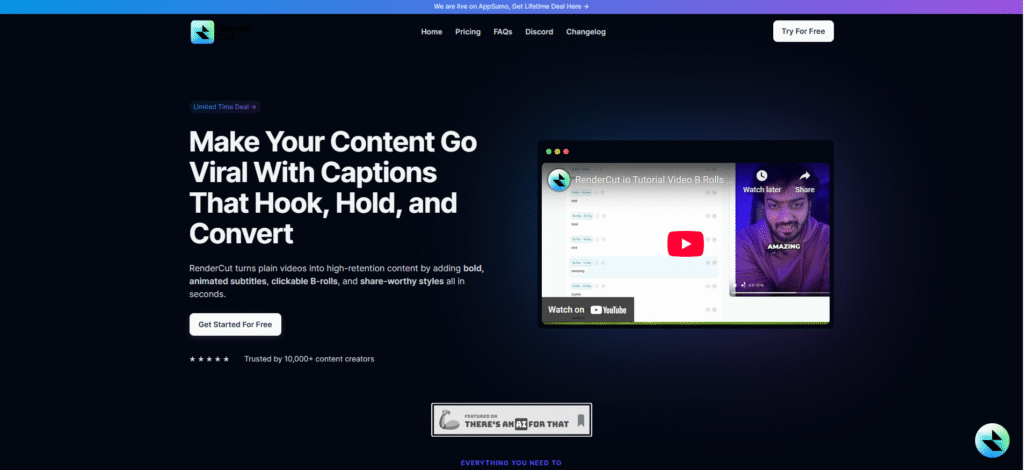
RenderCut automatically generates accurate subtitles using AI, improving video accessibility, engagement, and watch time on social media.
Creators, marketers, and agencies are aiming to boost content performance with readable, localized subtitles.
Use RenderCut to save editing time, improve SEO, and reach diverse audiences through clear, branded captions in any language.
Features:
- AI-powered auto transcription
- Real-time subtitle rendering
- Fully customizable caption styles
- Multilingual support for global reach
2. Hootsuite – Social Media Management Platform
Hootsuite is an all-in-one dashboard that helps users schedule posts, track engagement, and analyze performance across various platforms.
Marketing teams, agencies, and solo entrepreneurs are handling multiple social media channels.
Hootsuite streamlines content planning and performance tracking from a single dashboard, making it easier to stay organized and improve your social strategy.
Features:
- Multi-platform and multi-account management
- Real-time social listening and keyword tracking
- Comprehensive analytics and reporting
3. Canva – Easy-to-Use Design Tool
Canva is an intuitive drag-and-drop design platform that lets marketers and creators produce high-quality graphics without needing professional design skills.
Social media managers, digital marketers, and entrepreneurs who need to design content like ads, Reels, stories, thumbnails, infographics, and pitch decks quickly.
Canva helps you design polished, on-brand visuals in minutes. Even without prior experience, you can generate scroll-stopping creatives for any platform, saving time and outsourcing costs.
Features:
- Drag-and-drop editor
- Thousands of ready-made templates
- Brand kit support (fonts, colors, logos)
- AI-powered design suggestions
- Built-in social media post scheduler
- Team collaboration tools
4. Buffer – Social Media Scheduling and Analytics
Buffer helps streamline the scheduling and publishing of social media content across multiple platforms, saving time and improving consistency.
Marketers and content creators who want to manage multiple social accounts efficiently and review performance data to improve reach and engagement.
Buffer ensures consistent posting, tracks what’s working through detailed analytics, and helps you refine your content strategy based on real performance data.
Features:
- Post scheduling across Instagram, Facebook, LinkedIn, and more
- In-depth performance analytics with engagement metrics
- Content calendar for better planning
- Team collaboration for approvals and drafts
5. Sprout Social – Comprehensive Social Media Suite
Sprout Social combines analytics, social listening, publishing, and collaboration tools in a single, user-friendly dashboard.
Marketing teams and social media managers need data-driven tools for planning, posting, and improving engagement.
Track performance, analyze audience behavior, and optimize social content using data-backed decisions to grow your brand effectively.
Features:
- Real-time social media monitoring
- Built-in team collaboration tools
- Advanced reporting and analytics for audience insights
PAA (People Also Ask)
What are the best tools for scheduling social media posts?
Hootsuite and Buffer are great tools for scheduling social media posts.
Which tool helps with adding captions to videos?
RenderCut offers AI-powered video captioning to improve engagement and accessibility.
How do I create engaging social media content?
Canva is perfect for creating eye-catching graphics, while RenderCut can make your video content more engaging with captions.
Conclusion:
In conclusion, these five essential tools are all you need to elevate your social media marketing game. From video subtitles to stunning designs and scheduling ease, they cover every angle to boost your presence.
Ready to take your social media strategy to the next level? Try these tools today and see the difference they make! And remember, for effortless video content creation and increased engagement, explore RenderCut to enhance your social media experience seamlessly.


