

5 Best Tools for YouTube Shorts
 RenderCutCreator Tips
YouTube Shorts has become a powerhouse for creators looking to make an impact in under 60 seconds. With its rapid growth, it’s crucial to use the right tools to make your content stand out. Whether you’re new to Shorts or a seasoned pro, having the best tools can elevate your videos and save valuable time.
In this guide, we’ll explore some of the top tools that can help you create engaging, professional-quality Shorts effortlessly. Get ready to level up your content creation process and captivate your audience like never before.
1. RenderCut – Best for Automatic Subtitles and Customization
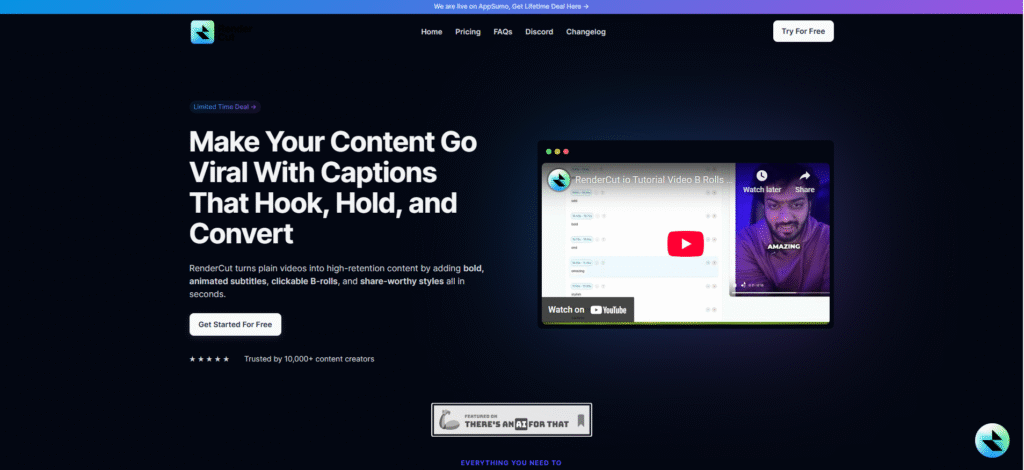
RenderCut is a specialized AI video tool built to streamline subtitle generation and video customization. It helps creators produce captioned videos quickly and efficiently. Enhance accessibility and viewer retention by adding stylized subtitles that keep your audience engaged, especially on sound-off platforms.
Use RenderCut to automatically transcribe and generate colorful, animated captions for a 15-second cooking tip video, then export it in a vertical format for YouTube Shorts, complete with a branded font and color theme.
Key Features:
- AI-powered automatic transcription for accurate, time-synced subtitles
- Full subtitle customization including fonts, sizes, colors, backgrounds, and animations
- Quick export presets optimized for YouTube Shorts, Reels, and TikTok formats
2. Adobe Premiere Rush – Best for Easy Editing on the Go
Adobe Premiere Rush is a streamlined video editing app designed for creators who want quick, high-quality edits on both mobile and desktop devices. It simplifies the editing process with an intuitive layout while retaining essential pro features. Ideal for content creators, vloggers, or marketers who need to edit and publish on the go without learning complex software.
It supports cloud syncing across devices. Use Adobe Premiere Rush to edit a travel vlog shot on your phone, trim clips, add transitions and music, then export directly as a vertical YouTube Shorts video in under 10 minutes.
Key Features:
- Simple drag-and-drop interface for fast edits
- Built-in professional-quality editing tools like transitions, speed control, and audio adjustment
- Optimized export settings for platforms like YouTube Shorts, Instagram Reels, and TikTok
3. Kapwing – Best for Online Video Creation and Collaboration
Kapwing is a browser-based video editing platform designed for quick, collaborative content creation, making it ideal for social media teams and creators. Best suited for teams or creators producing YouTube Shorts, TikTok, or Reels together, Kapwing simplifies editing by offering ready-made templates and centralized content management.
Use Kapwing’s meme templates to quickly produce funny, trending Shorts in 9:16 format with captions and effects, enabling faster publishing and consistent branding across team members.
Key Features:
- Template-based video creation for fast results
- Tools for trimming, text overlays, subtitles, and effects
- Real-time collaboration for teams editing together
- Cloud storage and easy export in vertical formats
4. InShot – Best for Mobile Editing
InShot is a powerful mobile video editing app designed for creators who want fast, high-quality edits directly on their phones. Ideal for mobile-first creators who need quick edits with professional results, without relying on desktop tools.
Use InShot to edit short travel vlogs, sync clips with music, and format them perfectly for YouTube Shorts or Instagram Reels.
Key Features:
- Trim, cut, merge, and adjust video speed with ease
- Add music, sound effects, text, stickers, and transitions
- Export in multiple aspect ratios like 16:9 (YouTube) or 9:16 (Shorts, Reels)
5. TikTok – Best for Viral Inspiration and Editing
TikTok serves as a powerful tool for creators to generate ideas and edit content optimized for short-form video platforms like YouTube Shorts. TikTok helps creators tap into viral trends and use built-in editing tools to craft visually engaging Shorts that align with what’s trending. Identify a trending audio or format on TikTok, recreate or modify it using TikTok’s editor, then export and post it on YouTube Shorts to boost discoverability and engagement.
Key Features:
- Advanced editing tools: Includes filters, visual effects, text overlays, and transitions.
- Extensive music library: Offers licensed tracks ideal for syncing with trends.
- Easy cross-platform sharing: Enables direct reposting to YouTube Shorts and Instagram Reels.
People Also Ask (PAA)
What is the best tool for adding captions to YouTube Shorts?
RenderCut is the best tool for automatically adding customizable captions to YouTube Shorts.
Can I create YouTube Shorts using mobile apps?
Yes, apps like InShot and TikTok make it easy to create and edit YouTube Shorts directly from your mobile device.
How do I optimize my YouTube Shorts for more views?
Use the best tools like RenderCut to add engaging captions and effects, and make your videos visually appealing and easy to follow.
Conclusion (80-100 words)
The top 5 tools discussed are all powerful resources that can help YouTube Shorts creators enhance their content. From improving video quality to increasing engagement, these tools provide invaluable support. Experimenting with them can transform your content and boost its reach.
Tools like RenderCut can truly be a game-changer, offering creators a unique advantage in making videos more accessible and engaging. Remember, with the right tools, you can elevate your YouTube Shorts and grow your audience, start experimenting today and watch your content soar!


