

Best Website for Video Portfolio
 RenderCutCreator Tips
Creating a compelling video portfolio is essential for showcasing your skills, creativity, and projects professionally. The right website can elevate your work, making it easy for clients, employers, or collaborators to explore your videos seamlessly.
From sleek layouts to fast-loading galleries, the best platforms combine design and functionality to present your content at its finest. In this article, we explore top websites that help video creators highlight their talent, organize projects efficiently, and leave a lasting impression on every visitor.
Why You Need a Video Portfolio
A video portfolio is essential because it lets you showcase your work in a professional and organized way. It brings all your projects together, creating a clear visual story of your skills and style. A portfolio also increases your visibility and credibility online, making it easier for people to trust your expertise.
Furthermore, it gives you an edge by showing what you can do rather than just talking about it. It is also easy to share with clients, employers, or collaborators, helping them quickly see your talent. With a video portfolio, your work speaks for you in the most engaging and effective way.
Key Features to Look for in a Video Portfolio Website
- Customizable Layouts: Tailor galleries, sections, and homepage to your brand.
- High-Quality Video Support: Support for HD/4K formats and smooth playback.
- Ease of Uploading: Fast video upload, bulk uploading, and drag-and-drop features.
- SEO & Shareability: Optimize video titles, descriptions, and metadata.
- Analytics & Tracking: Track visitor behavior, engagement, and popular videos.
Best Websites/Platforms for Video Portfolios
RenderCut
AI-powered editing, captions, and portfolio-ready export. RenderCut is an AI-powered platform that enhances video portfolios by combining smart editing tools with accessibility features.
It can auto-generate captions and subtitles, add stylish animated text for better engagement, and export videos in social-media-friendly formats like Reels, Shorts, and TikTok. With multilingual support, creators can reach global audiences while keeping their portfolio polished and professional.
Vimeo Pro
Professional hosting with privacy controls and high-quality playback. Vimeo Pro is one of the best platforms for video portfolios because it offers professional hosting, strong privacy controls, and high-quality playback.
Creators can customize their portfolio pages, showcase work without distracting ads, and manage advanced settings like password protection or domain-level privacy.
Vimeo Pro also supports large file uploads, 4K Ultra HD playback, and customizable video players, making it ideal for filmmakers, agencies, and video editors who want a polished presentation. Additionally, the analytics feature helps track viewer engagement, giving professionals clear insights into how their portfolio is performing.
Squarespace
Customizable templates suitable for video portfolios. Squarespace is one of the best platforms for building a video portfolio because it offers customizable templates designed for creative professionals.
It allows you to showcase videos in high-quality galleries, full-screen banners, and interactive layouts. The drag-and-drop editor makes it easy to arrange your portfolio, while built-in SEO tools help your videos reach a wider audience.
Squarespace also supports video embedding from platforms like YouTube and Vimeo, as well as direct video hosting. With its sleek design options and reliable hosting, Squarespace is a popular choice for filmmakers, editors, and video creators.
Behance
Ideal for creative professionals showcasing multimedia work. Behance is ideal for creative professionals showcasing multimedia work, including video portfolios. It allows editors, filmmakers, and motion graphic designers to upload high-quality projects, embed videos, and organize them into themed collections.
With its strong community features, Behance helps creators gain visibility, receive feedback, and connect with potential clients or agencies. The platform is also integrated with Adobe Creative Cloud, making it easy to update and share projects directly from editing tools.
How RenderCut Enhances Your Video Portfolio
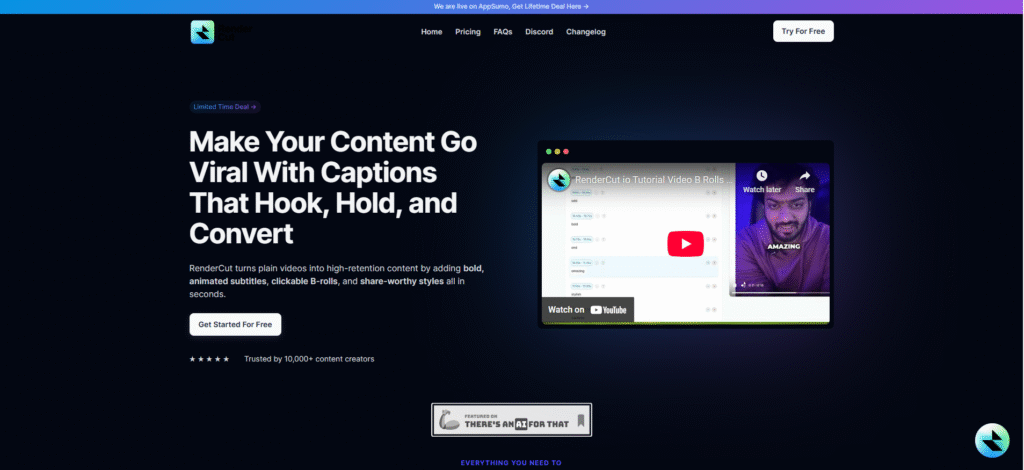
RenderCut enhances your video portfolio by making editing smarter and faster. It auto-generates captions and subtitles, ensuring every video is accessible to all viewers.
You can also add stylish animated captions that instantly make your content more engaging and fun to watch. Quick export options let you save videos in social-media-friendly formats like Reels, Shorts, and TikTok, so you are always ready to share.
Furthermore, RenderCut supports multiple languages, helping your videos connect with a global audience. This combination of accessibility, style, speed, and reach makes your portfolio stand out and keeps it ready for every platform.
Tips for an Effective Video Portfolio
An effective video portfolio captures attention quickly and shows your strongest skills in a short time. Keep each video brief and focus only on your best projects so viewers stay engaged.
Organize your work by categories or client projects to make navigation simple and professional. Adding captions and subtitles helps more people enjoy your videos and keeps them watching longer.
Always include a clear call-to-action, such as inviting viewers to contact or hire you, so your portfolio directly supports your goals. A well-structured and interactive portfolio leaves a lasting impression and makes it easier to remember.
FAQs
Can I host multiple video types on one platform?
Yes, you can host multiple video types on one platform. Modern platforms support formats like MP4, MOV, AVI, and 4K videos, making it easy to organize, stream, and share content efficiently.
Is it necessary to use AI tools like RenderCut?
AI tools like RenderCut make video editing faster and more efficient, handling captions, effects, and social media-ready formats, saving hours and improving content quality.
How can I track portfolio performance?
You can track portfolio performance using online dashboards, investment apps, or spreadsheets. Real-time updates show gains, losses, and returns, helping measure growth against benchmarks clearly.
Conclusion
Choosing the right platform for your video portfolio is key to showcasing your creativity effectively. With RenderCut, editing becomes seamless, allowing you to add captions, enhance visuals, and make every video truly stand out.
A polished portfolio not only highlights your skills but also leaves a lasting impression on clients and collaborators. Take the next step today, explore RenderCut and start building a professional, captivating video portfolio that reflects your talent and sets you apart in the creative world.


