

5 Best Tools for YouTube Automation
 RenderCutCreator Tips
YouTube automation tools are game-changers for content creators looking to streamline their workflows and boost channel growth. From automating video uploads to optimizing SEO, these tools help save time and increase efficiency.
Whether you’re just starting or managing an established channel, the right automation tools can enhance your productivity and allow you to focus more on content creation. In this blog, we’ll explore the best tools available for YouTube automation, highlighting their features and how they can transform your YouTube strategy for long-term success.
1. RenderCut – AI-Powered Subtitle Generation for Enhanced Engagement
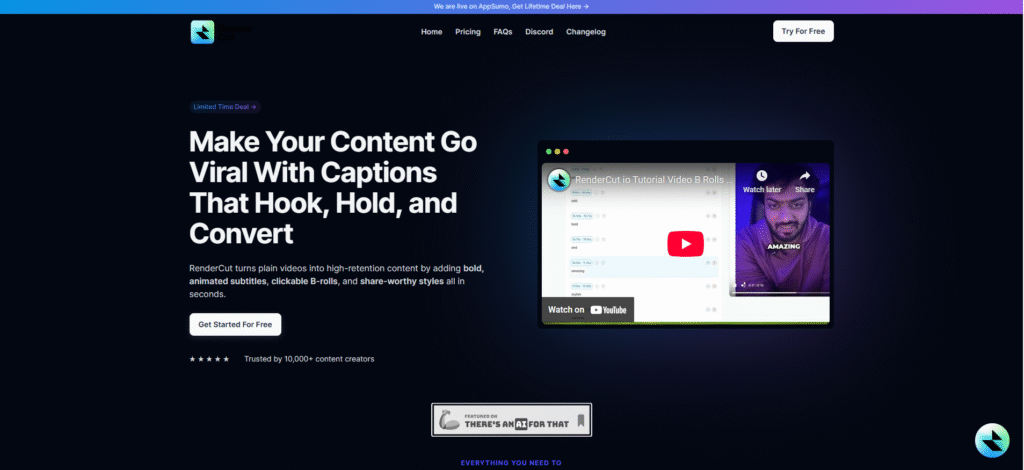
RenderCut is an AI-driven tool designed to automatically generate accurate subtitles and captions for YouTube and other video content platforms. It simplifies the video editing workflow by offering fast and precise transcription features.
RenderCut enhances viewer engagement by making content more accessible and easier to follow. Subtitles help boost retention, increase average watch time, and make videos inclusive for diverse audiences, including those with hearing impairments or non-native language speakers.
Key Features:
- AI-Powered Transcription: Auto-generates subtitles with high accuracy.
- Customizable Text Styles: Allows font, color, size, and position adjustments to match your brand.
- Multilingual Support: Supports multiple languages to reach global audiences.
- Seamless Integration: Easily export subtitle files or hardcode captions directly into videos for smooth editing compatibility.
2. TubeBuddy – All-In-One YouTube Management Tool
TubeBuddy is a browser extension and mobile app designed to automate and streamline YouTube channel management. It directly integrates with YouTube’s interface, helping creators improve productivity, SEO, and growth strategies without switching platforms.
TubeBuddy helps YouTubers boost video visibility, reduce time spent on optimization tasks, and maintain a consistent content strategy. It is widely used by creators to improve rankings and streamline repetitive tasks through automation and data-driven insights.
Key Features:
- Video SEO tools for optimizing titles, tags, and descriptions
- Keyword Explorer for finding high-performing keywords
- Thumbnail A/B testing to increase click-through rates
- Scheduled publishing and bulk updates for consistent uploads
- Detailed analytics and retention reports for performance tracking
3. Hootsuite – Schedule, Publish, and Track YouTube Videos
Hootsuite allows users to schedule, publish, and track YouTube videos from a single dashboard. It integrates directly with YouTube, enabling creators and marketers to automate uploads and manage campaigns across multiple social platforms.
Automate your content calendar, maintain consistency across all channels, engage with followers efficiently, and analyze the impact of each video using unified analytics. Ideal for creators, brands, and agencies managing multi-channel video marketing.
Key Features:
- Multi-Platform Scheduling: Plan and queue YouTube videos alongside content for Instagram, Facebook, X, and LinkedIn.
- Real-Time Tracking: Monitor video views, likes, shares, and comments across platforms.
- Post Management: Organize scheduled content by date, campaign, or platform using a drag-and-drop calendar.
- Performance Analytics: Access detailed reports on engagement, audience retention, and channel growth.
4. SocialBee – Content Scheduling and Social Media Management
SocialBee offers a robust platform for automating content management across multiple social media channels, including YouTube, allowing users to centralize scheduling and optimize publishing workflows.
Boost YouTube engagement and save time by automating the promotion and distribution of your video content across social media. SocialBee’s category-based scheduling ensures balanced content rotation, helping maintain visibility without manual effort.
Key Features:
- Video scheduling across platforms, including YouTube, Facebook, LinkedIn, Twitter, and Instagram
- Content curation using category-based queues
- Performance analytics to track views, clicks, and engagement
- Audience targeting and engagement tools
- Integration with Canva, Zapier, and URL shorteners
5. InVideo – Automated Video Creation for YouTube
InVideo is an AI-powered video creation platform designed to automate and simplify the process of making videos for YouTube. It enables users to transform scripts, blogs, or ideas into engaging videos with minimal manual effort. InVideo helps creators generate polished YouTube videos quickly without prior editing knowledge.
It’s ideal for marketers, educators, and influencers aiming to post consistent video content efficiently. Studies show AI editing tools like InVideo reduce production time by 60% while increasing video engagement through better visuals and pacing.
Key Features:
- Pre-made Templates: Thousands of customizable templates for YouTube intros, explainers, vlogs, and more.
- Drag-and-Drop Editor: Easy-to-use timeline for adding text, transitions, and media.
- Voiceovers: Supports both AI-generated and manual voiceovers to match your script.
- AI-Assisted Editing: Smart scene suggestions, auto-resizing for platforms, and script-to-video conversion.
PAA (People Also Ask)
What are the benefits of automating my YouTube channel?
Automation can save time, improve consistency, and boost your channel’s visibility and engagement by streamlining processes like video publishing, SEO, and analytics tracking.
Can I use these tools to enhance my YouTube SEO?
Yes, tools like TubeBuddy and RenderCut help with video SEO, keyword research, and generating subtitles, which are crucial for improving video searchability.
Conclusion
In today’s fast-paced digital world, YouTube automation tools are essential for streamlining video creation and maximizing growth. These tools save time, improve consistency, and boost engagement, helping creators focus more on content rather than tedious tasks.
Experiment with different tools to find the perfect fit for your channel’s unique needs. The right automation can transform your workflow and accelerate growth. Don’t hesitate to explore these powerful tools; your next big breakthrough could be just a click away.


