

How to Turn One Long Video Into 20 Shorts Using AI
 RenderCutCreator Tips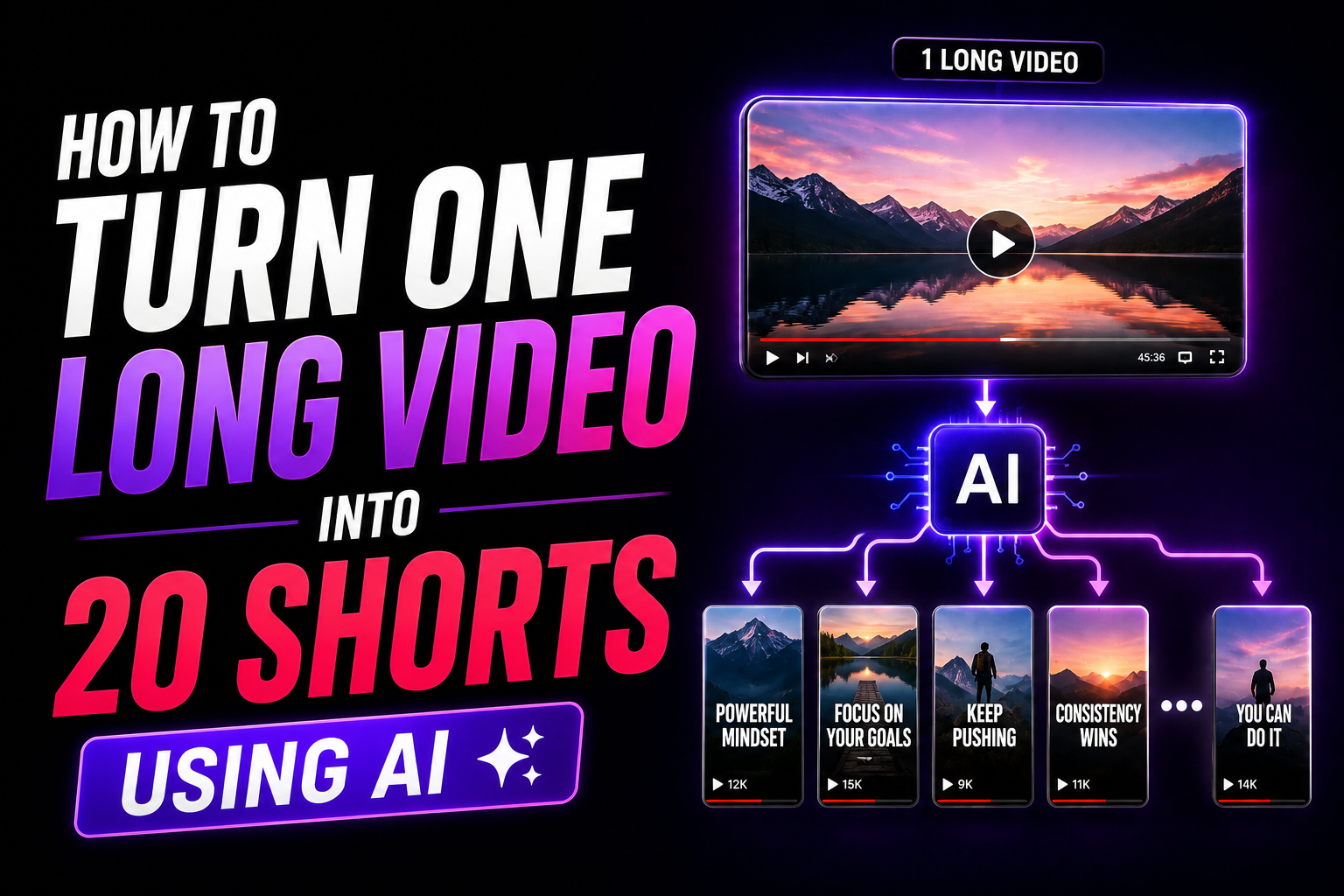
A 30-minute podcast episode contains enough material for 15 to 25 short-form clips. A 1-hour webinar has 20 to 30. A 20-minute talking head video has at least 10.
Most creators publish the long video once and move on. That 30-minute podcast gets posted on one platform, reaches a fraction of its potential audience, and the 20+ clips hiding inside it never see the light of day. Weeks of content value left on the table because the clipping and editing process feels like too much work.
I was making this exact mistake. Recording long videos, publishing once, starting from scratch the next day. Then I built a repurposing pipeline using AI tools and the math completely changed. One 40-minute recording now produces 20 fully captioned, styled, ready-to-publish shorts in under 2 hours of total work. That is a month of daily content from a single recording session.
This guide covers the exact workflow from long video to 20 shorts, including the AI tools, the captioning process, the common mistakes, and a real example of the full system in action.
What this guide covers:
- Why repurposing is the most efficient content strategy in 2026
- Why manual clipping does not scale
- The AI workflow from one long video to 20 shorts
- Best types of long videos to repurpose
- Caption strategy that makes repurposed clips perform
- Tools for each stage of the pipeline
- Common mistakes that kill repurposed content
- A real example system: 1 podcast to 20 shorts
1. Why Repurposing Is the Most Efficient Content Strategy
Creating one piece of content and publishing it once is a 1:1 return on your time. Creating one piece of content and turning it into 20 clips published across 3 platforms is a 1:60 return. Same recording session. Same ideas. Same effort on camera. Massively different output.
Organizations with systematic repurposing workflows report generating 8 to 12 short clips from each hour of long-form content. At scale, a single weekly recording session can fuel an entire month of daily posting across Instagram Reels, YouTube Shorts, and TikTok.
The content multiplication math:
| Source Content | Length | Potential Shorts | Posts Across 3 Platforms |
|---|---|---|---|
| Podcast episode | 30 minutes | 15 to 25 clips | 45 to 75 posts |
| Webinar recording | 60 minutes | 20 to 30 clips | 60 to 90 posts |
| Tutorial video | 15 minutes | 8 to 12 clips | 24 to 36 posts |
| Interview | 45 minutes | 15 to 20 clips | 45 to 60 posts |
One podcast per week at 30 minutes gives you 15 to 25 shorts. That is 3 to 5 posts per day across platforms from a single recording. The creators and agencies growing fastest in 2026 are not creating more content. They are extracting more value from the content they already have.
2. Why Manual Clipping Does Not Scale
Before AI tools, turning a long video into shorts meant watching the full recording, finding the good moments, manually cutting each clip, adding captions, styling them, and exporting one at a time. For a 30-minute video producing 20 clips, that process takes 6 to 10 hours.
Where time gets wasted in manual clipping:
| Task | Time Per Clip (Manual) | Time Per 20 Clips |
|---|---|---|
| Watching and finding highlight moments | 5 minutes | 1.5 hours |
| Trimming and cutting each clip | 5 minutes | 1.5 hours |
| Adding captions manually | 10 to 15 minutes | 3.5 to 5 hours |
| Styling and formatting for vertical | 3 minutes | 1 hour |
| Exporting and quality checking | 2 minutes | 40 minutes |
| Total | 25 to 30 minutes | 8 to 10 hours |
Manual captioning alone takes more time than every other step combined. That single bottleneck is the reason most creators give up on repurposing after the first attempt. AI removes that bottleneck entirely.
3. The AI Workflow: One Long Video to 20 Shorts
Here is the complete pipeline I use. Each phase uses a different AI tool, and no phase takes longer than 30 minutes.
Phase 1: AI Clipping (20 to 30 minutes)
Upload your long video to an AI clipping tool. The AI analyzes the audio, visual content, and pacing to identify the strongest standalone moments. Within minutes, you get 15 to 25 suggested clips ranked by engagement potential.
Review the clips. Keep the top 20. Discard any that do not have a clear hook or standalone message. This review step takes about 10 minutes.
Phase 2: AI Captioning and Styling (45 to 60 minutes)
Upload all 20 clips to your captioning tool. Generate AI transcriptions. Apply your saved style template. Chunk text into 3 to 5 word segments. Highlight keywords. Replace the first caption line with a hook on every clip.
This is the phase that transforms generic clips into retention-driving shorts. Without styled captions, the clips look like raw footage with auto-text. With styled captions (word-level highlights, chunked text, bold hooks), they look professional and perform measurably better. The complete system behind this is in How We Increased Reel Watch Time by 42% Using AI Captions.
Phase 3: Review and Polish (20 to 30 minutes)
Watch each clip once. Check caption timing, audio sync, and that the hook lands within the first 2 seconds. Fix anything that feels off. Do not over-edit. The goal is quality assurance, not a redo.
If the opening of a clip is weak, use a stronger hook caption from the framework in Why Viewers Scroll Away in the First 3 Seconds.
Phase 4: Export and Publish (15 to 20 minutes)
Export all 20 shorts with hardcoded captions. Queue them in a scheduling tool. Distribute across Instagram Reels, YouTube Shorts, and TikTok.
Total time from one long video to 20 published shorts: approximately 1.5 to 2.5 hours.
| Phase | Task | Time |
|---|---|---|
| Phase 1 | AI clipping + review | 20 to 30 minutes |
| Phase 2 | AI captioning + styling | 45 to 60 minutes |
| Phase 3 | Review and polish | 20 to 30 minutes |
| Phase 4 | Export + schedule | 15 to 20 minutes |
| Total | 1.5 to 2.5 hours |
Compare that to the 8 to 10 hours the manual approach takes. The AI workflow is 4 to 5 times faster while producing more consistent results.
4. Best Types of Long Videos to Repurpose
Not all long videos produce the same quality of shorts. The best source content has multiple standalone moments that make sense without the surrounding context.
| Content Type | Why It Works | Clips Per 30 Minutes |
|---|---|---|
| Podcast interviews | Natural conversation has multiple quotable moments and topic shifts | 15 to 25 |
| Tutorial/how-to videos | Each step or tip can stand alone as a clip | 8 to 15 |
| Webinar recordings | Dense information with clear teaching moments | 10 to 20 |
| Conference talks | Strong statements and insights designed for audience impact | 10 to 15 |
| Talking head monologues | Every distinct point becomes its own clip | 10 to 20 |
Podcast interviews are the most repurpose-friendly format because conversations naturally contain hook-ready moments: bold statements, surprising insights, disagreements, and emotional shifts. These translate directly into scroll-stopping short clips.
5. Caption Strategy for Repurposed Shorts
Repurposed clips need caption attention because they were not filmed with short-form in mind. The original pacing, framing, and opening were designed for a long-form viewer who was already committed. Short-form viewers are not committed. They need to be hooked in 3 seconds.
Three caption rules for repurposed content:
- Never use the original opening as the first caption. The AI clip often starts mid-conversation. “And so what ended up happening was…” is not a hook. Replace the first caption line with a bold, curiosity-driven statement that gives context and creates urgency.
- Chunk aggressively. Long-form speech patterns produce longer sentences than native short-form content. Break every caption into 3 to 5 word chunks, even if it means splitting sentences that felt natural in the original video.
- Highlight the punchline word in every clip. Each repurposed short has one key takeaway. Find the word that carries it and make it visually different. This gives viewers a reason to save or share the clip.
The detailed style guide for choosing the right caption look is in Best Caption Styles That Increase Video Retention and Engagement. And for handling caption work at volume, the batch workflow is in How to Caption 30 Videos a Week Without Burning Out.
6. Tools for Each Stage of the Pipeline
| Stage | Best Tool | Why |
|---|---|---|
| AI clipping (long to short) | Opus Clip | Best-in-class highlight detection, virality scoring, auto-reframing |
| AI captioning + styling | RenderCut | Deepest word-level control, saved templates, hook title generation, lifetime pricing |
| Scheduling + publishing | Buffer, Later, or native platform tools | Multi-platform queue management |
This is the same two-tool combo I use in my own workflow: Opus Clip for clipping, RenderCut for captioning. Each tool handles what it does best without feature overlap. The full comparison with Submagic included is in Opus Clip vs Submagic vs RenderCut: Which Tool Is Best for Short Videos.
The captioning tool is where most creators make the wrong choice for repurposed content. General-purpose editors produce flat auto-captions. A dedicated tool like RenderCut gives you the word-level highlights, chunking control, and saved templates that turn a raw clip into a retention-optimized short.
7. Common Mistakes When Repurposing
| Mistake | Why It Fails | How to Fix It |
|---|---|---|
| Publishing clips without a hook | The original opening was designed for long-form. It is too slow for short-form. | Replace the first caption with a hook on every clip |
| Using auto-captions without styling | Flat text adds nothing to retention or engagement | Apply chunking, highlights, and style templates to every clip |
| Keeping clips too long | Repurposed clips often run 60 to 90 seconds when 30 to 45 would be tighter | Trim to the core message. Cut the setup, keep the payoff. |
| Publishing all 20 clips at once | Flooding feeds hurts per-post engagement | Spread clips across 1 to 2 weeks. 2 to 3 per day maximum. |
| Not adapting captions per platform | YouTube Shorts and Instagram Reels reward different caption styles | Bold contrast for Reels hooks, word-by-word for Shorts retention |
The first mistake (no hook) is the most common and the most damaging. AI clipping tools pick the best moments, but those moments start mid-thought. Without a custom hook caption, the clip opens cold and viewers scroll past. Every repurposed clip needs a manually written first line.
8. Example System: 1 Podcast to 20 Shorts
Here is exactly how I turned a single 40-minute podcast episode into 20 published shorts last month.
- Recorded a 40-minute podcast episode on content strategy. One camera, one mic, no guest.
- Uploaded to Opus Clip. The AI generated 24 clip suggestions ranked by virality score. I reviewed them and kept 20.
- Moved all 20 clips to RenderCut. Generated AI captions, applied my saved style template, chunked text to 3 to 5 words per line, highlighted keywords, and wrote custom hook captions for each clip.
- Reviewed all 20 clips in one sitting. Fixed 3 timing issues. Swapped 2 weak hooks for stronger ones. Total review time: 25 minutes.
- Exported with hardcoded captions. No watermarks, platform-ready output.
- Scheduled across platforms. 10 clips to Instagram Reels, 10 to YouTube Shorts, all 20 to TikTok. Published 3 per day over 7 days.
Results from that batch:
- Total production time: 2 hours 10 minutes
- Total reach across platforms: 187,000 views
- Best performing clip: 43,000 views, 380 saves, 95 shares
- New followers gained: 1,200+ across all platforms
- Content that would have taken 3 to 4 weeks to produce individually: done in one afternoon
The full editing workflow that makes this pace sustainable without burning out is in How to Edit 30 Videos a Week Without Burning Out.
Frequently Asked Questions
How do I turn a long video into shorts?
Upload your long video to an AI clipping tool like Opus Clip. The AI detects highlights and generates 15 to 25 short clips automatically. Then move the clips to a captioning tool, style the captions, add hooks, and export. The full process takes 1.5 to 2.5 hours for 20 shorts.
Why should I repurpose long-form content?
Repurposing multiplies your content output without multiplying your production time. One 30-minute video can produce 15 to 25 shorts published across 3 platforms. That is 45 to 75 posts from a single recording session, reaching audiences who would never watch the full-length version.
What are the best videos to repurpose into shorts?
Podcast interviews, tutorials, webinars, conference talks, and talking head videos work best. The key is source content with multiple standalone moments that make sense out of context. Conversations with natural topic shifts produce the most clips per minute of source material.
Do repurposed clips perform as well as native shorts?
Yes, when properly optimized. The key differences are adding a hook caption (not using the original opening), chunking the captions for short-form readability, and trimming to the tightest possible version of the message. Unoptimized repurposed clips underperform. Optimized ones perform equally well or better because the content is more information-dense.
What tools do I need for a repurposing workflow?
You need two core tools: an AI clipping tool (Opus Clip) and a captioning tool (RenderCut). The clipping tool handles highlight detection and clip extraction. The captioning tool handles transcription, styling, hooks, and export. A scheduling tool (Buffer, Later) handles distribution. That is the complete stack.
Final Word
Every long video you publish once and forget is content value left on the table. A 30-minute recording contains 15 to 25 shorts. Across 3 platforms, that is 45 to 75 posts. From one session.
The AI workflow covered in this guide turns that potential into reality in under 2.5 hours: clip with AI, caption with AI, style with templates, export, and schedule. No editor required. No 10-hour clipping marathons. Just a system that converts one recording into weeks of multi-platform content.
Start with your next long video. Run it through the pipeline. Measure the reach. Once you see 20 shorts performing across three platforms from content you already created, you will never go back to the one-video, one-post approach.
For the captioning phase, RenderCut gives you the word-level highlights, saved templates, and hook title generation that turn raw AI clips into retention-optimized shorts. No subscription. Just captions that make repurposed content perform.
Try RenderCut free and start turning one video into 20.
References
- Colossyan – Research on systematic repurposing workflows and 8-12 clips per hour of long-form content
- Opus Clip – AI highlight detection and virality scoring methodology
- Buffer – 2026 social media posting frequency and cross-platform distribution data
- Hootsuite – Content repurposing benchmarks and multi-platform reach multiplier data


